
CardSync
Empty a memory card onto an SSD without ever wondering whether the copy is faithful. Every file written is read back and its SHA-256 digest compared.
Empty a memory card onto an SSD without ever wondering whether the copy is faithful. Every file written is read back and its SHA-256 digest compared.
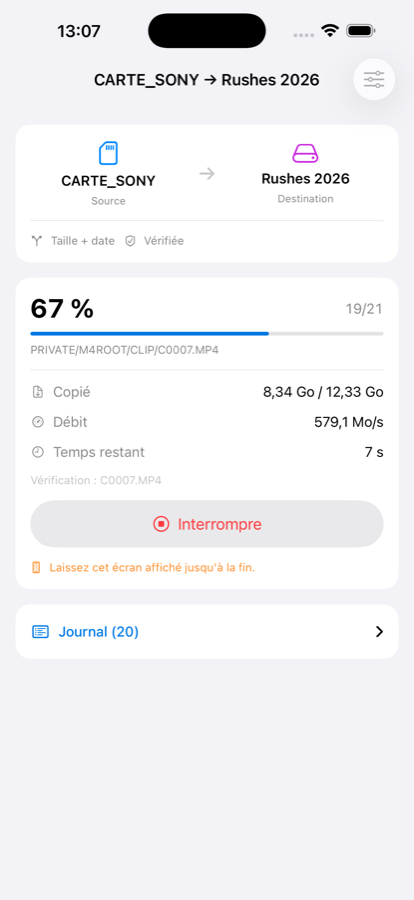
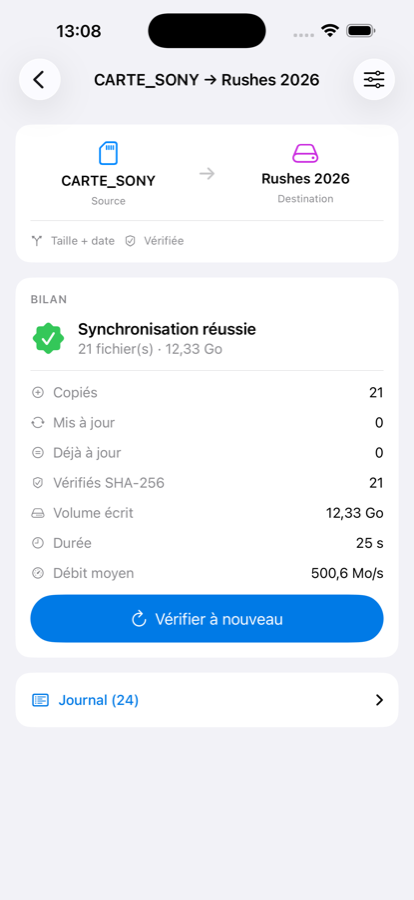
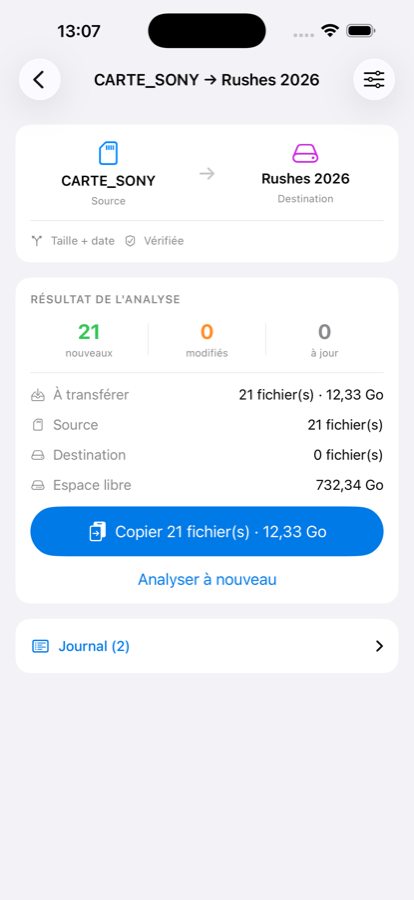
The Files app can move files. It cannot tell you whether the copy is faithful, what is still missing, or resume where it stopped.
The file written is read back from the drive, bypassing the system cache, and its digest compared with the original — itself read a second time for a folder source. Two diverging reads point at the card reader, and the app says so.
Both sides are analysed before anything is written. You see what would be copied, then you decide. Size, size and date, or full digest.
Written under a temporary name, put in place in one move once verified. A file already present is never deleted before its replacement is ready.
Screen left, drive unplugged, battery dead: running it again copies only what is genuinely missing. What was verified is never redone.
Memory card, SSD or USB-C stick, iCloud Drive and the services you have installed, the iPhone itself — in both directions. And a photo library album as a source, originals and Live Photos included.
Read and written in blocks: a 4 GB video uses no more memory than a photo. Neither file size nor file count is a limit.
iOS does not allow copying to an external volume in the background: CardSync must stay on screen during the transfer. It prevents the screen from locking, and if you leave, the copy resumes next time. For large volumes a powered USB-C hub is strongly recommended — an iPhone struggles to power a hungry SSD.
We would rather say so here than let you find out.
No data collected, no account, no tracking, no advertising. The app contains no networking code. Your files never leave your own drives. Read the full policy.